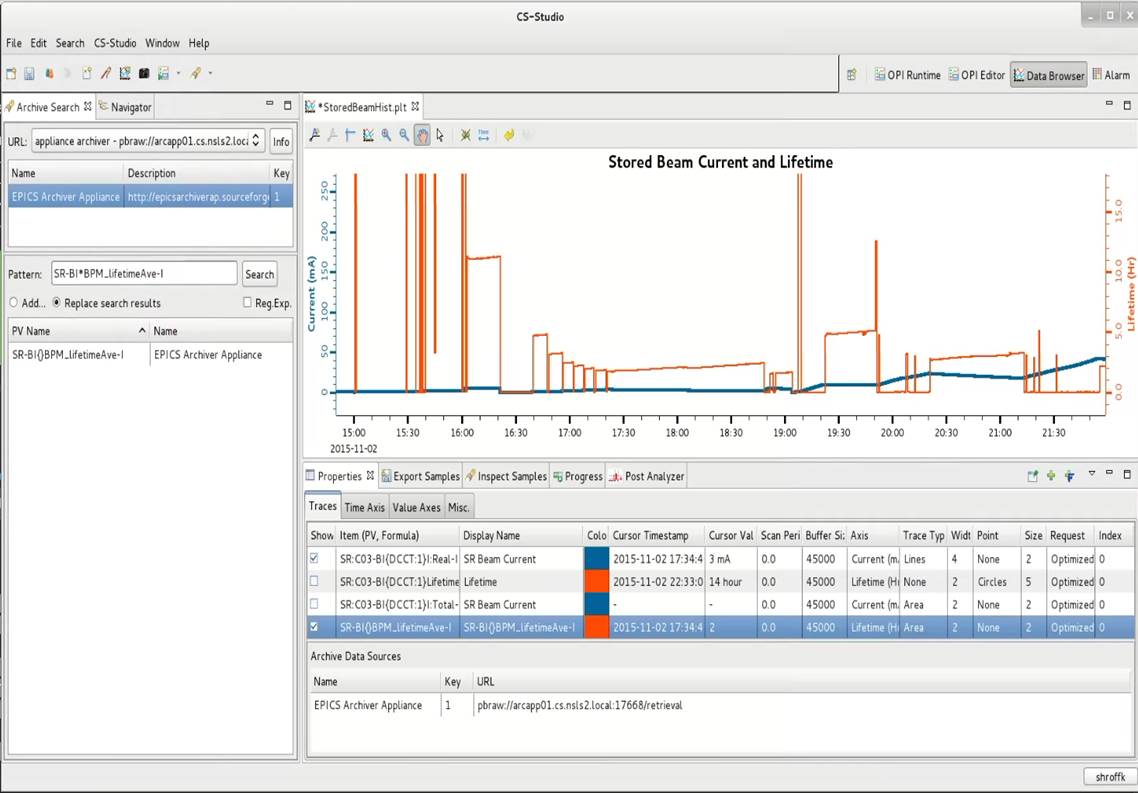
CS Studio Integration
CS-Studio 4.X onwards comes with support for the EPICS Archiver Appliance as a data source for the databrowser.
Configuring CS-Studio
CS-Studio communicates with the appliance using the
PB/HTTP protocol. The databrowser can be configured to
use the appliance by including the client retrieval URL to the list of
Archive data servers. From the top menu select
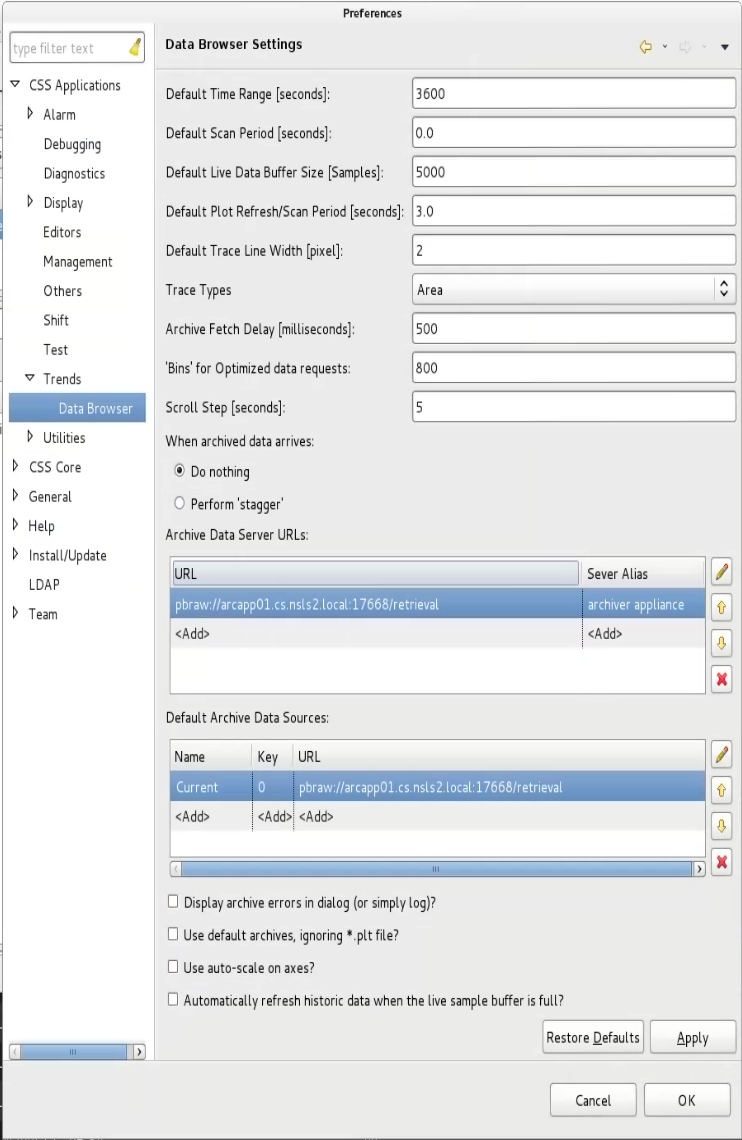
Edit > Preferences > CSS Applications > Trends
Add the archiver appliance URL to the set of Archive Data Server URL’s
This URL is generated by replacing the string http with the string pbraw in the
data_retrieval_urlelement of yourappliances.xmland looks like sopbraw://archiver.slac.stanford.edu/retrieval.
Example:
Once the URL has been added to the preferences, the archiver appliance can be used in the databrowser like any other data source. Users can search the archive for PV’s, retrieve data and plot it, etc.